BulkSpeed Setup & Configuration
Before blaming Google, the developer, the hosting company, and the phase of the moon, let's get some actual data. Complete the setup and start finding what's really slowing your pages down.
API Authentication
2
Click the Get Key button on the page
3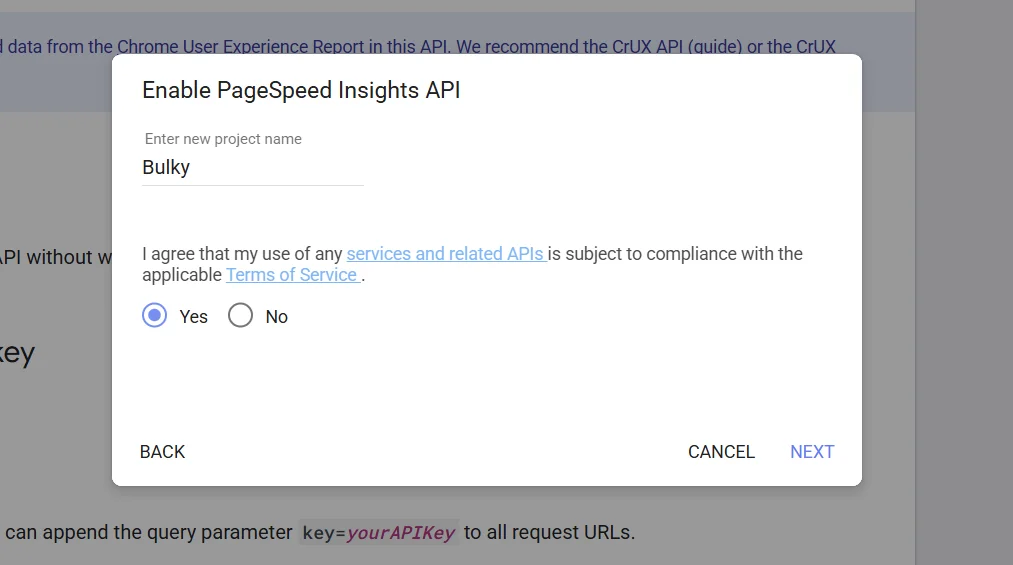
A popup appears, click Create a new project, give it any name (e.g. bulky), click Next
4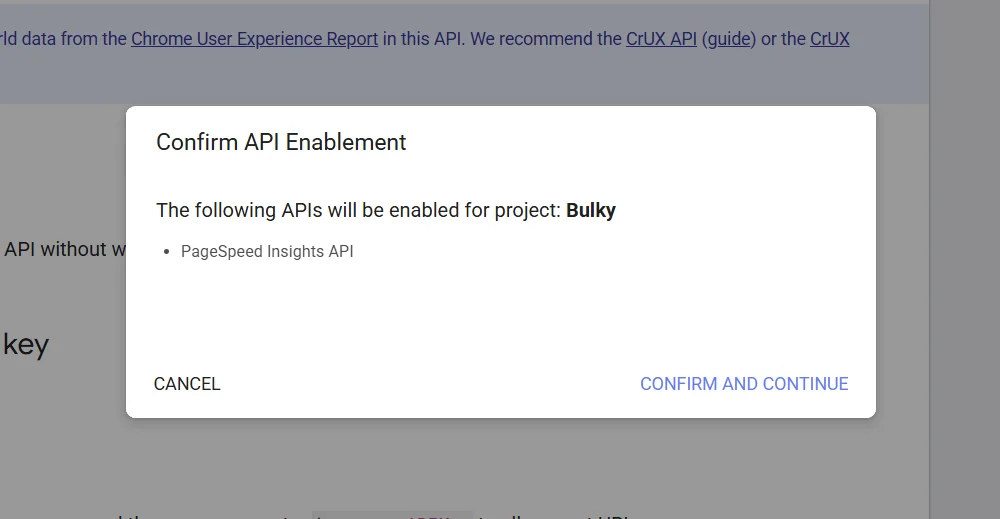
Then click Confirm & Continue
5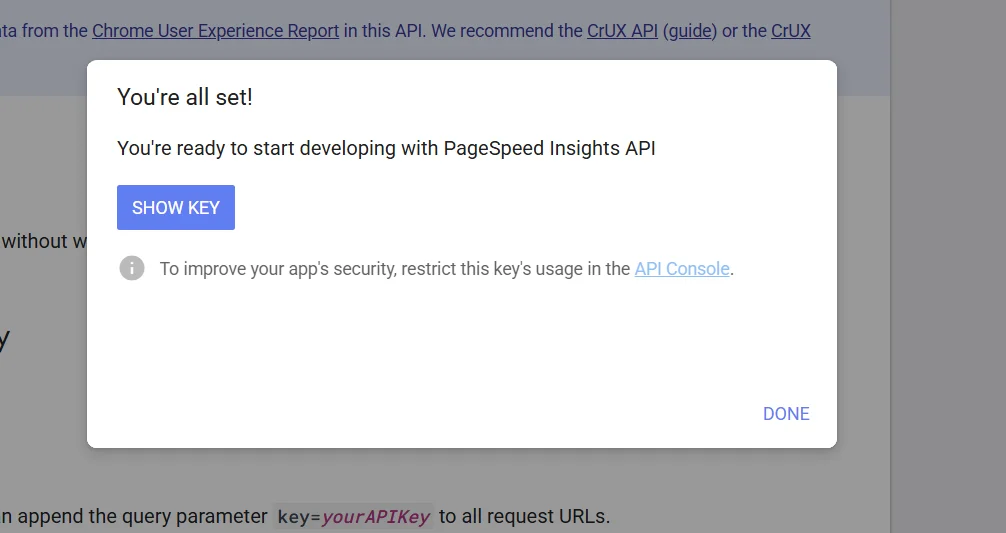
Wait a moment, click Show Key, copy it, and paste it into BulkSpeed
Free • 25,000 requests/day • No credit card needed
Stored only in your browser. Never shared or sent anywhere.
Troubleshooting
429
Rate Limit Hit
You've exceeded 25k calls/day. Wait 24 hours or use a new API key.
KEY
Invalid API Key
Key is wrong or not enabled. Re-check Google Cloud Console.
URL
URL Errors
Make sure all URLs start with https:// — no spaces or commas.